extraneous and repeated info below....
Photo 2 pacing guide rev june 30_2019
Photography 2
pacing guide
2019 sequence
First day business
Traditional Collage_15-20
photos as background you like_spell out “photography” with magazine letters
Create Google account
Create a (Google)
Portfolio
Photography review
Plus Pixels, Mega Pixels, DPI,
PPI_review
Fine Art Photography
vs. commercial
Photoshop review and
Photoshop help
Beginning Photoshop_Adobe Photoshop Basics
Draw a Photoshop mindmap on 11x17 paper, folded
1. Open Photoshop
2. New document
3. The open window
Draw: Window_ Check Workspace, Adjustments, Layers, Application Frame, Options,Tools
Draw: Toolbar
4. Save into documents folder
5. Images (Pictures)
•Drag image into document
•Move Tool
•Paint Bucket (see paint bucket lesson) https://digitalarthillwood.blogspot.com/2019/06/paint-bucket-first-assignment.html
First
photo assignments_5 photos of things that you like
Digitize
one of these photos and place it in your portfolio
6
photos that tell a story
10
photos of one color from:
Eye
contact/no eye contact
Only
photograph things on the ground
Take
at least 10 photos of one scene
Candid
Photography
Still Life
Up
Close vs. Macro
Shadows
Water
Leading
Lines
Perspective
and unique viewpoints
Architectural photos
Landscape photos
Texture
Color
Harmony
Emotions
Green screen photography
and compositing in Photoshop
Magazine cover
Photomontage: where you see
yourself in 10 years
Art elements and principles of design (if needed
for review)
Compositional
Photographs: Lines
Compositional
Photographs: Shape and form
Compositional
Photographs: Value (Black and White)
Compositional
Photographs: Color
Compositional
Photographs: Texture
Compositional
Photographs: Space
Compositional
Photographs: Pattern
Compositional
Photographs: Emphasis
Compositional
Photographs: Pattern
Compositional
Photographs: Variety
Second
semester
Pick
your concentration
for ideas
look at:
Double
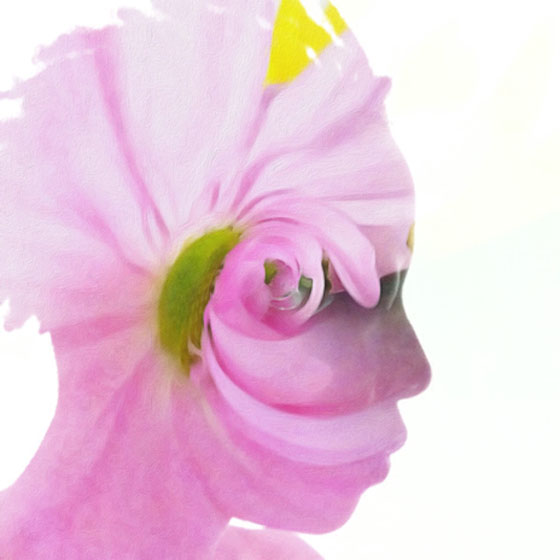
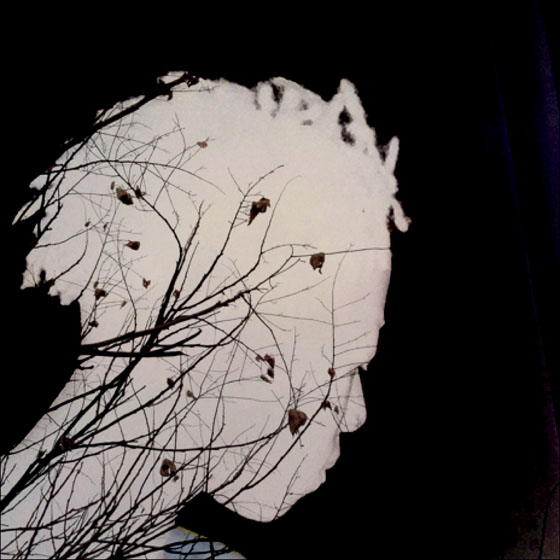
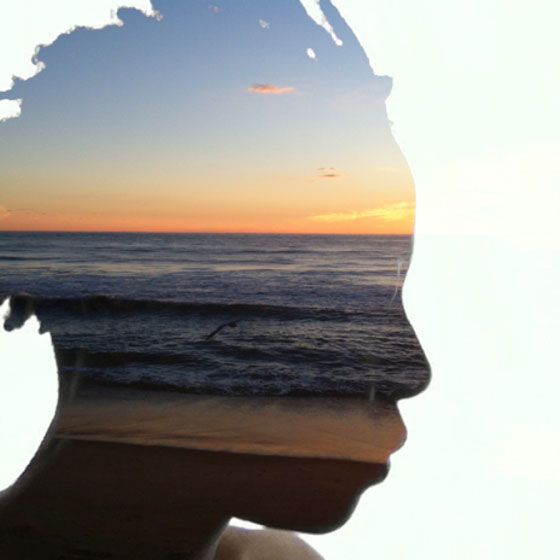
exposure in Photoshop. 2 layers and multiply.
Changing the Mood.
Special Photoshop Creative Ideas involving
use of layers
High Dynamic Range (H.D.R.) Photography
Camera
Functions and Modes
Exposure
1. Exposure, aperture, shutter and ISO settings
2. camera sim
3. really good cheat sheet
White
Balance
Drive Modes
Lens Focal Length
Exposure
Compensation
Focusing Options
Depth of Field
(Depth of Focus)
Time
exposures
Lighting
Family
Portrait
Autobiographical
Self Portraits
Put Yourself in History
Superimposing
and Layer Masks in Photoshop
Poetry and photography
Surreal
Self-Portrait
Reflections
Action
Stopping
Motion
Bubbles and flash
Opposite world (reverses
lights and darks. lights become dark, darks become light)
Research
and Portfolio
Research
Photographers
Journalism
Portfolio
presentation
Compositional Photographs:
Lighting
Compositional Photographs:
Autobiographical Self Portraits
Superimposing and Layer
Masks in Photoshop
Compositional Photographs:
Surreal Self-Portrait
photos of car wheels
photos of snacks
overexposed
photo exercises from B&H
3.
Find a historic photo
online and include yourself in the scene. Adjust size, color and resolution to
match the historic photo to look as realistic as possible. Under your photo
write a 2-3 sentence explanation as to why you chose to put yourself in this historic
photo. Samples below:
3. Word Art
-Make a Photoshop document
4×6 or 6×4 (100 ppi)
-Find an interesting image
on the Internet and use the move tool to move it into your document in
Photoshop
-Size it with Control T +
shift to fit in the document
-Make another document the
same size as the first
-With the Text Tool, type a
word or phrase in a thick black font
-Find a picture online to
go inside of the word and copy and paste it into the document with the text
-Put the picture layer on
top of the word layer
-Press Control +Alt + G to
put the image inside the word.
-Merge the picture and text
layers together (make the background layer invisible to not include it in the
merge)
-Move the word with the
picture in it in the other document with the Internet image, and save as a
.jpeg. Post to blog.
Define these 35 words in a
word document and then copy and paste your definitions in a blog post titled
Photography Definitions:
pixels, image resolution,
megabyte, megapixel, gigabyte, jpeg, raw, tiff, png, white balance, histogram,
aperture, shutter speed, depth of field, aperture priority, shutter priority,
bitmap, exposure, watermarking, optical zoom, digital zoom, bracketing, light
meter, image stabilization, noise, lag time, hot shoe, fisheye, macro,
telephoto, wide angle, DSLR, dynamic range, digital negative, exposure
compensation
2.
1.Take a new photo for this
assignment or use one of your existing edited photos.
2.Make a new document 11×14
or 14×11 @ 300 res
3.Move your photo into your
new document and size to fit.
4.Add a quote, poetry, song
lyrics or your own words to your edited image
5.Post to your blog
questions.
1.What camera metering mode
did I use and why?
2.Do I have a strong
composition?
3.How well did I edit my
photographs?
4.What would I do differently
if I shot this assignment again?
5.Do you think your
photographs belong on the blog home page and should be considered
one of the best from all the photo classes?
foley syllabus
The course will cover the
following topics:
1. Various
Camera Modes and their uses
2. Flash
Modes
11. Portraiture
12. Landscape
13. Action
Photography
14.
18. Black
and White (Monochrome)
19. Basic
Techniques of Lighting (Including: Front, Side, Back, Defused, etc.)
20. Basic
Photo Composition (Including: Rule of 3rds, Leading Lines, Framing Subjects,
etc.)
21. Basic
Photo Editing (Using Photoshop and Picasa)
22. Special
Photoshop Creative Ideas involving use of layers
23. High
Dynamic Range (H.D.R.) Photography
24. Knowledge
of
Photograph
10 hand gestures for a day.
Toys
and dolls
Photo 2 pacing guide rev june 25_2019
Photography
2
pacing
guide
2019 sequence
First day business
Traditional Collage_15-20
photos as background you like_spell out “photography” with magazine letters
Create
Google account
Create
a (Google) Portfolio
Photography
review
Plus Pixels, Mega Pixels, DPI, PPI_review
Fine
Art Photography vs. commercial
Photoshop
review and Photoshop help
First
photo assignments_5 photos of things that you like
Digitize
one of these photos and place it in your portfolio
6
photos that tell a story
10
photos of one color from:
Eye
contact/no eye contact
Only
photograph things on the ground
Take
at least 10 photos of one scene
Candid
Photography
Still Life
Up
Close vs. Macro
Shadows
Water
Leading
Lines
Perspective
and unique viewpoints
Architectural photos
Landscape photos
Texture
Color
Harmony
Emotions
Green screen photography
and compositing in Photoshop
Magazine cover
Photomontage: where you see
yourself in 10 years
Art elements and principles of design (if needed
for review)
Compositional
Photographs: Lines
Compositional
Photographs: Shape and form
Compositional
Photographs: Value (Black and White)
Compositional
Photographs: Color
Compositional
Photographs: Texture
Compositional
Photographs: Space
Compositional
Photographs: Pattern
Compositional
Photographs: Emphasis
Compositional
Photographs: Pattern
Compositional
Photographs: Variety
Second
semester
Pick
your concentration
for ideas
look at:
Double
exposure in Photoshop. 2 layers and multiply.
Changing the Mood.
Special Photoshop Creative Ideas involving
use of layers
High Dynamic Range (H.D.R.) Photography
Camera
Functions and Modes
Exposure
1. Exposure, aperture, shutter and ISO settings
2. camera sim
3. really good cheat sheet
White
Balance
Drive Modes
Lens Focal Length
Exposure
Compensation
Focusing Options
Depth of Field
(Depth of Focus)
Time
exposures
Lighting
Family
Portrait
Autobiographical
Self Portraits
Put Yourself in History
Superimposing
and Layer Masks in Photoshop
Poetry and photography
Surreal
Self-Portrait
Reflections
Action
Stopping
Motion
Bubbles and flash
Opposite world (reverses
lights and darks. lights become dark, darks become light)
Research
and Portfolio
Research
Photographers
Journalism
Portfolio
presentation
Compositional Photographs:
Lighting
Compositional Photographs:
Autobiographical Self Portraits
Superimposing and Layer
Masks in Photoshop
Compositional Photographs:
Surreal Self-Portrait
photos of car wheels
photos of snacks
overexposed
photo exercises from B&H
3.
Find a historic photo
online and include yourself in the scene. Adjust size, color and resolution to
match the historic photo to look as realistic as possible. Under your photo
write a 2-3 sentence explanation as to why you chose to put yourself in this historic
photo. Samples below:
3. Word Art
-Make a Photoshop document
4×6 or 6×4 (100 ppi)
-Find an interesting image
on the Internet and use the move tool to move it into your document in
Photoshop
-Size it with Control T +
shift to fit in the document
-Make another document the
same size as the first
-With the Text Tool, type a
word or phrase in a thick black font
-Find a picture online to
go inside of the word and copy and paste it into the document with the text
-Put the picture layer on
top of the word layer
-Press Control +Alt + G to
put the image inside the word.
-Merge the picture and text
layers together (make the background layer invisible to not include it in the
merge)
-Move the word with the
picture in it in the other document with the Internet image, and save as a
.jpeg. Post to blog.
Define these 35 words in a
word document and then copy and paste your definitions in a blog post titled
Photography Definitions:
pixels, image resolution,
megabyte, megapixel, gigabyte, jpeg, raw, tiff, png, white balance, histogram,
aperture, shutter speed, depth of field, aperture priority, shutter priority,
bitmap, exposure, watermarking, optical zoom, digital zoom, bracketing, light
meter, image stabilization, noise, lag time, hot shoe, fisheye, macro,
telephoto, wide angle, DSLR, dynamic range, digital negative, exposure
compensation
2.
1.Take a new photo for this
assignment or use one of your existing edited photos.
2.Make a new document 11×14
or 14×11 @ 300 res
3.Move your photo into your
new document and size to fit.
4.Add a quote, poetry, song
lyrics or your own words to your edited image
5.Post to your blog
questions.
1.What camera metering mode
did I use and why?
2.Do I have a strong
composition?
3.How well did I edit my
photographs?
4.What would I do differently
if I shot this assignment again?
5.Do you think your
photographs belong on the blog home page and should be considered
one of the best from all the photo classes?
foley syllabus
The course will cover the
following topics:
1. Various
Camera Modes and their uses
2. Flash
Modes
11. Portraiture
12. Landscape
13. Action
Photography
14.
18. Black
and White (Monochrome)
19. Basic
Techniques of Lighting (Including: Front, Side, Back, Defused, etc.)
20. Basic
Photo Composition (Including: Rule of 3rds, Leading Lines, Framing Subjects,
etc.)
21. Basic
Photo Editing (Using Photoshop and Picasa)
22. Special
Photoshop Creative Ideas involving use of layers
23. High
Dynamic Range (H.D.R.) Photography
24. Knowledge
of
Photograph
10 hand gestures for a day.
Toys
and dolls